
In Singapore’s fast-paced digital world, being able to create and edit sharp visuals isn’t just a “nice to have” anymore; it’s a must-have.
Whether you’re building a brand online, spicing up an e-commerce page, or just making your presentations pop, great visuals get the job done.
Even with all the buzz around AI design tools, Adobe Photoshop is still the go-to for the pros. But you might be wondering—should you really sign up for a Photoshop Adobe course in Singapore in 2026?
Let’s break it down: we’ll look at how Photoshop skills can boost your career, why AI makes learning it even smarter, and how to pick the right course for you.
Why Learn Adobe Photoshop in Singapore 2026?
In a competitive job market, versatility is key. A Photoshop course in Singapore doesn’t just teach software; it equips you with a transferable creative skillset applicable across marketing, corporate communications, web development, and content creation.
Unlike relying on template-based platforms, mastering Photoshop gives you full creative control and the ability to produce custom, professional-grade visuals that stand out.
For professionals and career-switchers alike, adding Photoshop to your CV signals adaptability, attention to detail, and creative problem-solving; qualities employers in Singapore actively seek.
This demand is clear in the market: LinkedIn currently lists over 3,000 Adobe Photoshop-related job openings in Singapore, spanning roles in graphic design, e-commerce, visual merchandising and digital marketing at companies such as Charles & Keith, Shopee, Disney+ and more, as of December 2025.
Helpful Tip: Start by auditing your current role or industry. Identify one repetitive visual task, like resizing images for reports or creating social posts, and learn the Photoshop shortcut or technique to do it faster.
This immediate application builds confidence and demonstrates quick ROI on your learning.
Having established its professional value, let’s break down exactly what Photoshop is and why its core functions remain indispensable.
What is Adobe Photoshop & Why It Still Matters?
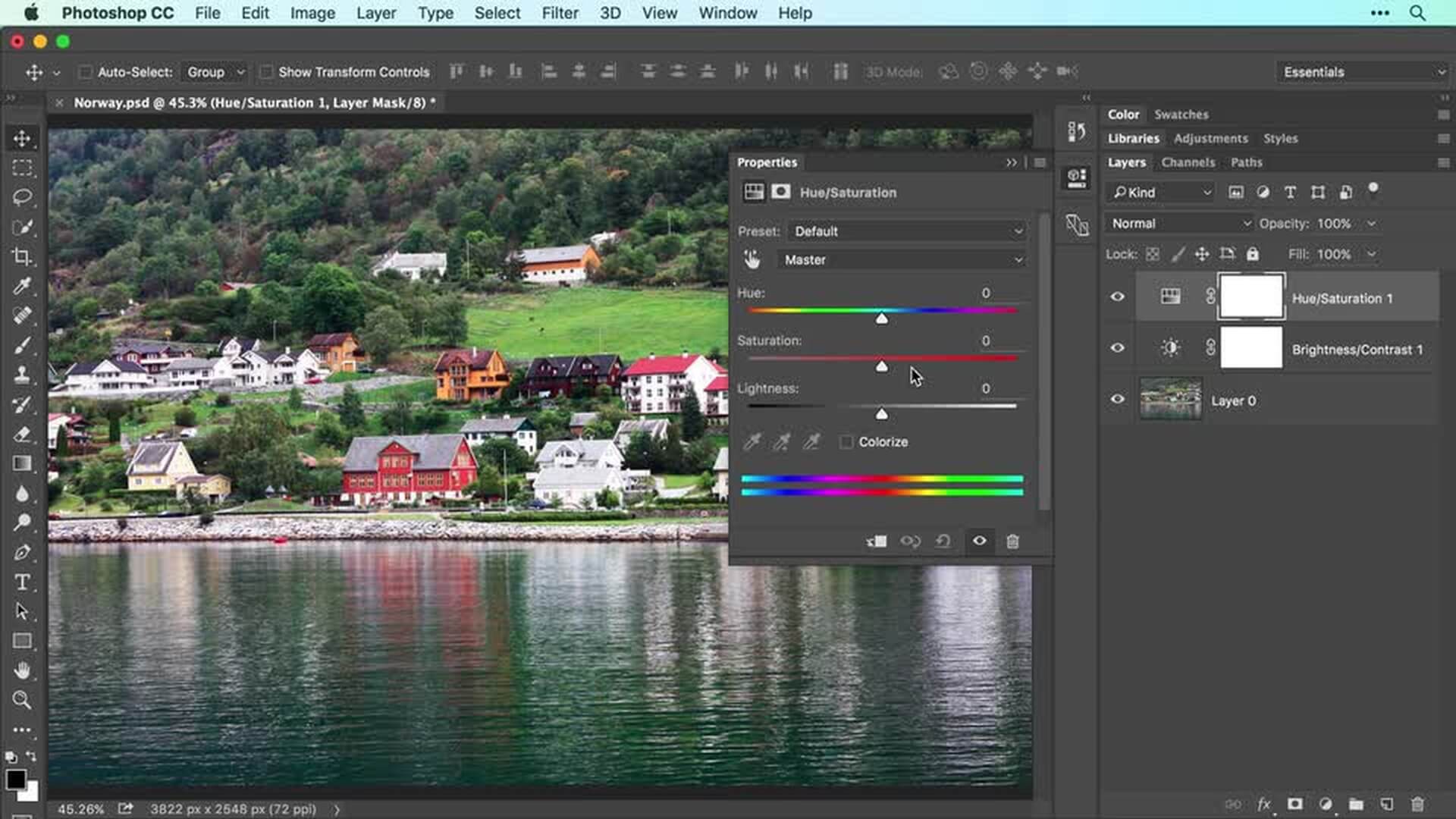
Adobe Photoshop is the leading software for image editing, compositing, and digital design. Its core capabilities, working with layers, masks, retouching tools, and typography, form the foundation for countless visual tasks.
From designing marketing banners and product visuals to editing social-media graphics, Adobe Photoshop training Singapore programmes teach you the building blocks of professional design.
Even beginners and hobbyists find value, whether fixing personal photos, designing event posters, or exploring digital art.
Actionable Step:
- Before you even open the software, spend 30 minutes browsing design inspiration on platforms like Behance or Dribbble.
- When you see an image you like, try to deconstruct it: “Is this a composite? How was the text integrated?”
This mindset prepares you to learn with purpose, making your learning journey with Photoshop more focused and effective.
Now that you understand its foundational role, let’s explore the tangible career doors that these skills can unlock.
How Photoshop Skills Can Boost Your Career in Singapore
Learning Photoshop opens doors. For career-changers, it’s a direct pathway into roles like junior designer, content creator, or social media executive.
For professionals in non-design positions, such as marketing execs, administrators, or entrepreneurs, it enables you to contribute visually, enhancing pitch decks, internal communications, and reports.
There’s also freelance potential. With just foundational skills, you can offer services like photo retouching, social media visuals, or logo refinements.
Investing in a WSQ Photoshop course can even provide nationally recognised credentials that boost your professional profile.
Helpful Tip:
- Create a “before-and-after” portfolio from day one.
- Save the first version of every practice edit or design, and the final result.
This visual log not only tracks your progress but also becomes a powerful asset for job interviews or freelance proposals.
With career advancement in mind, what are some practical projects you can tackle to start building that portfolio?
Creative Projects You Can Do with Photoshop
Begin with personal projects to build confidence: create custom birthday cards, enhance travel photos, design Instagram carousels, or assemble simple collages.
At work, apply your skills to practical needs: produce marketing flyers, corporate event banners, product mockups, or email newsletter headers.
For those inclined toward artistry, Photoshop supports deeper pursuits like digital painting, concept art, and frame-by-frame GIF animations.
Actionable Step:
- Challenge yourself with a “1-week, 1-project” plan
- In your first week of learning, choose one simple project (e.g., a Facebook event cover).
- Use online tutorials to complete it.
This goal-oriented approach accelerates practical learning and builds momentum.
As you build these core skills, you’ll be perfectly positioned to leverage the next major shift in the design world: the integration of AI.
The Rise in AI in Design & How Photoshop Fits the Future
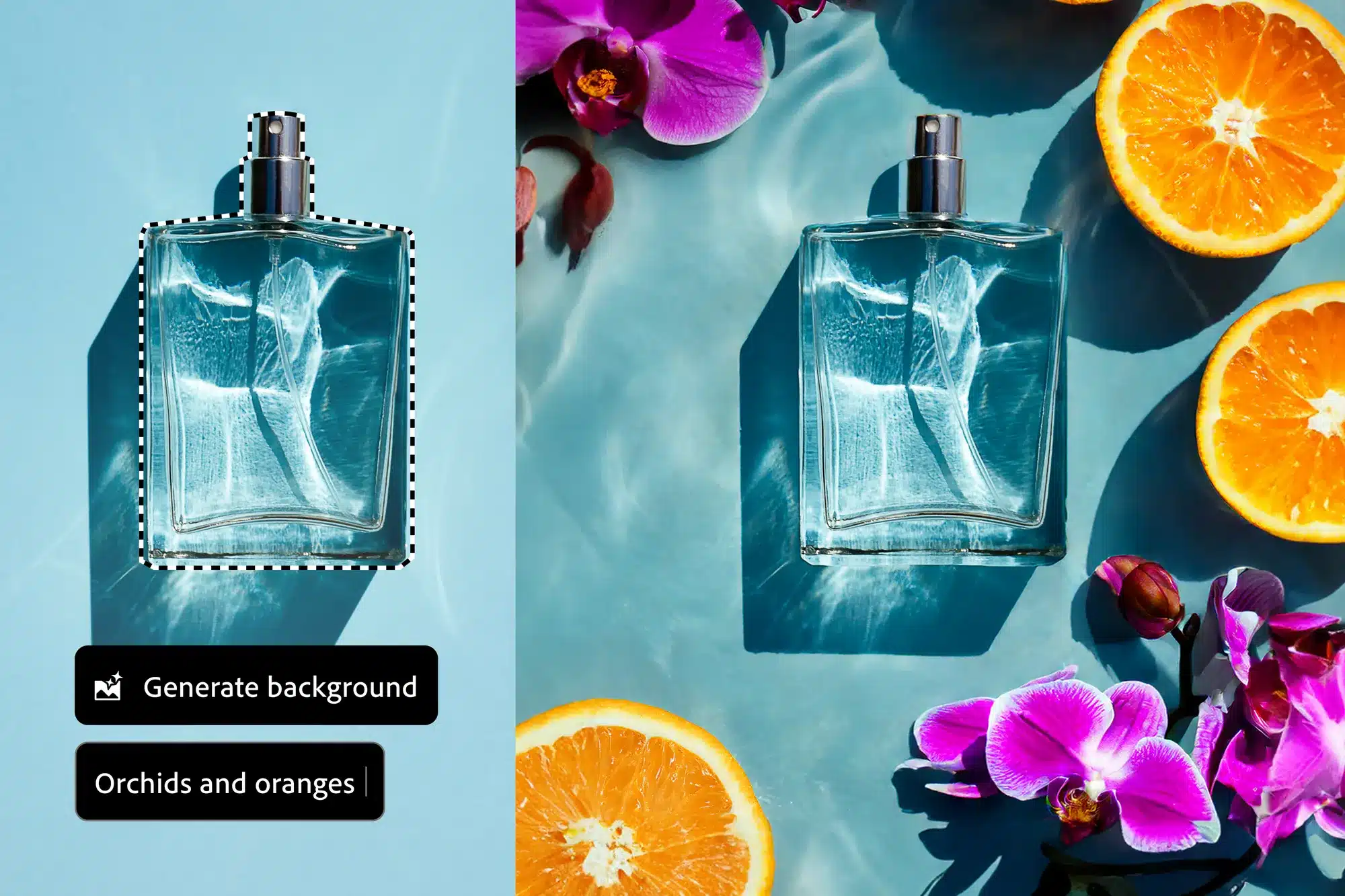
AI tools like Adobe Firefly and Generative Fill are transforming workflows, speeding up tasks like object removal, background extension, and generating visual variations. However, these tools work best under skilled direction.
This is where learning Photoshop becomes crucial. Understanding fundamentals like layers, masking, and composition ensures you can refine AI outputs and maintain creative control.
Emerging roles like AI-assisted designer or agile content creator now demand a blend of traditional Photoshop expertise and AI literacy.
How AI Works Inside Photoshop:
Adobe’s AI, powered by models like Firefly, is integrated directly into Photoshop’s tools. It works by:
- Analysing your image: AI reads your pixels, layers, and selections to match context, lighting, and texture.
- Interpreting text prompts: Prompts help generate new content that fits your scene’s style and perspective.
- Creating non-destructive edits: Results appear on new layers/groups so your original stays editable.
Helpful Tip:
- Duplicate your original layer before using Generative Fill.
- Edit the copy so your base image stays intact.
This non-destructive editing habit, core to Photoshop, is your safety net when experimenting with AI.
To truly future-proof your skillset, it’s essential to choose the right training programme that covers both fundamentals and modern integrations like these.
How to Choose the Right Photoshop Course in Singapore
With many options available, focus on accredited, structured training. Look for:
- WSQ accreditation + SkillsFuture eligibility: Ensures quality and supports SkillsFuture credits.
- Clear level progression: Basics first, then more complex projects as you advance.
- Project-based learning: Prioritise hands-on exercises over theory-only lessons.
- Experienced trainers: Industry context makes the skills more practical and relevant.
Actionable Step:
- Ask shortlisted providers for a detailed syllabus or sample lesson.
- Choose one that clearly links lessons to real project outcomes.
This careful selection process leads you to providers who structure learning for real-world success, like the programmes we offer at @ASK Training.
Learning Photoshop with @ASK Training Singapore
For those seeking a structured and practical foundation, @ASK Training Singapore offers a hands-on Photoshop Adobe course in Singapore tailored for working professionals looking to build concrete skills.
Our Photoshop CC Basic to Intermediate course is a practical, two-day programme (16 hours) designed to take you from fundamentals to real-world application.
The curriculum covers essential skills from interface navigation and selection techniques to working with layers, colour correction, and preparing images for both web and print.
You can expect a workshop-style environment focused on guided exercises that build competency in core tools, with clear objectives to master image editing and produce professional designs.
The course is also UTAP claimable, providing support for NTUC members on their upskilling journey.
Helpful Tip:
- Review the course outline to ensure it matches your goals.
- If you’re an NTUC member, check UTAP eligibility before enrolling.
Wrapping Up
In a digital-first landscape where visual communication is paramount, mastering Adobe Photoshop remains a strategic investment in your professional versatility and creative autonomy.
As we’ve explored, this skill enhances career opportunities across roles and industries, supports impactful personal and workplace projects, and—rather than being replaced by AI—forms the essential foundation for leveraging new technologies effectively.
To recap, here are the key takeaways:
- Career versatility: Useful across marketing, communications, e-commerce, and design roles.
- Creative control: More depth and flexibility than template-based tools.
- AI-ready foundation: Layers, masks, and composition help you direct and refine AI outputs.
- Practical pathway: Hands-on training accelerates real-world competency.
Choosing the right Photoshop course in Singapore is the first step toward building this future-ready skill set. With practical training options available, you can develop the confidence to create, edit, and innovate visually.
Ready To Enhance Your Creative Toolkit?
Explore @ASK Training’s Media Production Courses, designed for professionals who want to bring ideas to life. Build your expertise with:
Take the next step in your creative career! Enrol today and start building your portfolio with confidence.
Related Courses
- Photoshop CC Basic to Intermediate
- WSQ Digital Content Creation Course
- WSQ Generative AI for Digital Marketing
◆◆◆