
(24 hrs) Operating Systems and Desktop Support
Operating Systems and Desktop Support Course in Singapore: Learn to configure, troubleshoot, secure, and support Windows systems across physical and virtual environments.
Course Synopsis
This course equips participants with foundational and practical skills in operating systems, desktop support, virtualisation, and endpoint security. Participants will explore the role of operating systems in managing computer resources, compare major platforms, and apply key OS concepts and terminology in real-world contexts.
The course develops competence in configuring Windows across physical and virtual environments, managing user access, applying updates, and maintaining system stability. Participants will also strengthen troubleshooting, remote support, and communication skills for desktop support roles.
In addition, the course covers performance optimisation, disk management, virtual machine setup, and data protection through security, backup, and recovery practices.
Prerequisites
Language
- Attained at least WPLN level 5; or
- Obtained Grade C6 for GCE O-Level English; or
- Other equivalent qualifications.
Academic
- Obtained at least a pass or C6 at GCE O-Level in at least 3 subjects; or
- Candidates with other qualifications will be considered on a case-by-case basis; or
- Mature candidates aged ≥ 30 years old with 8 years of relevant working experience.
Learning Units
LU 1: Introduction to Operating System
- Role of operating systems in computing
- Overview of Windows OS and virtualised operating systems
- Common terminologies and concepts
LU 2: Installation and configuration of Windows OS
- Timeline on the Evolution Path of Windows OS
- Hardware and Software requirements
- Installing Windows OS on physical and virtual machines
- Initial Setup and configuration
- User accounts and permissions
- Windows update and patches
LU 3: Desktop Support Best Practices
- Role of desktop support technician
- Effective communication and troubleshooting techniques
- Remote support tools and techniques
- Managing user issues and resolving common problems
LU 4: Virtualised Environment and Hands-on Activity
- Introduction to Virtualisation and its benefits
- Setting up a virtualisation environment
LU 5: Maintenance and Performance Optimisation
- Register maintenance tasks for operating systems
- Disk management and optimisation
- Monitoring system performance
- Troubleshooting performance issues
LU 6: Security and Data Backup
- Common Security Threats and best practices
- Configuring firewalls and security settings
- Data backup and recovery strategies
Course Objectives
By the end of this course, you should be able to:
- Possess a comprehensive understanding of operating systems’ role in managing computer resources, distinguishing features and functionalities of major platforms, and mastery over essential OS-related terminologies and concepts.
- Perform configuring Windows OS across physical and virtual environments, managing user access with security best practices, and ensuring the system’s stability and security through timely updates and patches.
- Build capabilities to excel as desktop support technicians, boasting robust communication and troubleshooting expertise, leveraging remote support mechanisms, and adeptly handling prevalent desktop issues to elevate end-user satisfaction and productivity.
- Develop a deep understanding of virtualisation principles, recognise its multifaceted benefits, and gain expertise in establishing and tailoring virtualised operating systems on leading platforms such as VMWare and VirtualBox.
- Build capabilities to optimise operating system performance, effectively employ disk management strategies, actively monitor and mitigate system inefficiencies, and promptly address performance-related issues, ensuring a consistent and efficient experience for end-users.
- Identify and counteract common security threats, implement stringent security protocols for Windows OS, and establish resilient data backup and recovery mechanisms, guaranteeing the safeguarding and retrievability of vital data even in the face of potential threats or system malfunctions.
Training Hours & Assessment
Total Training Hours: 24 hours, including a 2-hour assessment
Assessment
- Practical Assessment
Fees and Subsidies
*Eligible for Singaporean Citizens, Permanent Residents, and Long-Term Visit Pass Plus Holders
Course Fee:
S$981 (inclusive of 9% GST)
Course Fee After Eligible SWDA Subsidies:
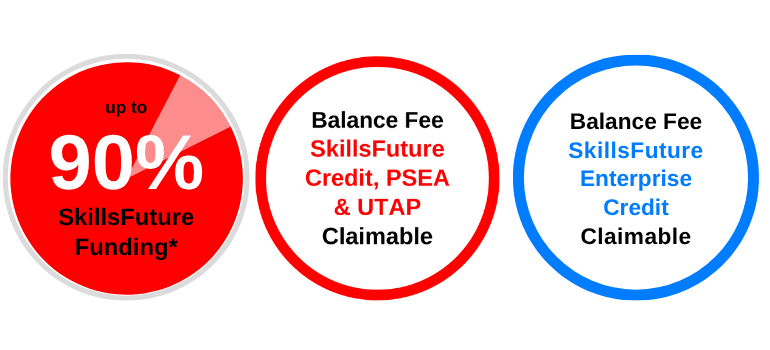
From S$114.30 (inclusive of 9% GST) after 90% SWDA Subsidies
| Learners | |
| Singaporean Citizens ≥ 40 years old | S$114.30 (after SWDA 90% Funding) SkillsFuture Credits can be used on top of existing subsidies |
| Singaporean Citizens, PRs or LTVP+ Holders ≥ 21 years old |
S$294.30 (after SWDA 70% Funding) For Singapore Citizens aged 21-31 Post Secondary Education Account Funds can be used. |
| Learners | SMEs | Non-SMEs |
| Singaporean Citizens ≥ 40 years old | S$114.30 (after SWDA 90% Funding) SkillsFuture Enterprise Credits (SFEC) can be used on top of existing subsidies |
S$114.30 (after SWDA 90% Funding) SkillsFuture Enterprise Credits (SFEC) can be used on top of existing subsidies |
| Singaporean Citizens, PRs or LTVP+ Holders ≥ 21 years old | S$294.30 (after SWDA 70% Funding) SkillsFuture Enterprise Credits (SFEC) can be used on top of existing subsidies |
Singaporean Citizens ≥ 40 years old
Singaporean Citizens, PRs or LTVP+ Holders ≥ 21 years old
All prices are inclusive of 9% GST.
(24 hrs) Operating Systems and Desktop Support
Up to 90% SkillsFuture Subsidy. Enrol today.
Course Schedule
Course Name: (24 hrs) Operating Systems and Desktop Support
Course Code: TGS-2026064612
Course Duration: 3 Days (9:00am – 6:00pm)
| Course Name | Duration | Month | Date | Venue | Remarks |
|---|---|---|---|---|---|
| (24 hrs) Operating Systems and Desktop Support TGS-2026064612 | 3 days (9:00am - 6:00pm) | October 2026 | 14-16 | International Plaza | Weekdays |
| 17,18,24 | International Plaza | Weekends | |||
| November 2026 | 13,16,17 | International Plaza | Weekdays | ||
| 14,15,21 | International Plaza | Weekends | |||
| December 2026 | 14,15,16 | International Plaza | Weekdays |
Related Courses


Have some questions? Contact us.
Up to 90%
SkillsFuture Subsidy