
(48 hrs) Systems and Server Administration
Course Synopsis
The course in Systems and Server Administration provides a comprehensive understanding and practical skills for managing server environments. It covers server installation, hardware, virtualisation, Active Directory, DNS, DHCP, storage, remote access, network policy, and virtual machine management.
The course emphasises high availability and disaster recovery, aiming to equip IT professionals with the ability to manage sophisticated server infrastructures effectively.
Prerequisites
Completed the Operating Systems and Desktop Support course awarded by @ASK Training
Language
- Attained at least WPLN level 5; or
- Obtained Grade C6 for GCE O-Level English; or
- Other equivalent qualifications.
Academic
- Obtained at least a pass or C6 at GCE O-Level in at least 3 subjects; or
- Candidates with other qualifications will be considered on a case-by-case basis; or
- Mature candidates aged ≥ 30 years old with 8 years of relevant working experience.
Learning Units
LU 1: Introduction of Microsoft Server Environment
- Introducing Servers and Servers Concepts
- Understanding Client/Servers Concepts
- Identify Server Hardware
- Understanding the Server Roles
- Understanding the Windows Server Features
- Concept of the AD, DNS, DMZ, Cloud and Virtualisation
LU 2: Server Installation
- Introduce Installation Option Selection
- Virtual Server vs Physical Server
- Discuss Upgrade Servers
- Discuss Preparation of Server Installation
- Window 2022 Server installation
LU 3: Deployment of Active Directory Domain Service (ADDS)
- Understanding the Active Directory
- AD Domains
- AD Domains Trees
- AD Forests
- Develop the Active Directory Servers
- Setup the Active Directory Domain Controller (ADDC)
- Understanding the AD Architecture Management Tools
- Creation of User, Organisation Unit (OU) and Group in AD
- Demo on User, Group and Organisation Unit (OU) creation
- Setup of RODC
LU 4: Deployment of DNS and DHCP
- Understanding and Purpose of DNS
- Installing and Integrating DNS
- Setup DNS
- Using Forwarder and Conditional Forward
- Configure and Setup DHCP
LU 5: Deployment of Disks, File System and Storage Space
- Understanding Disk Types
- Configure Disks and Volumes
- Create Replica
- Using File Permission – NTFS
- Using File Permission – Share Permissions
LU 6: Deployment of Remote Access Services
- Understanding Remote Access Solution
- Installing the Remote Access role and VPN configuration
LU 7: Hyper-V in Windows Server
- Purpose and functionality of Hyper-V
- Enhanced mode within Hyper-V
- Managing memory for VM within Hyper-V
- Supporting Integration Services within VMs
- VM Checkpoints within Hyper-V
LU 8: High availability (HA) and Disaster recovery (DR)
- Planning for continuity
- Disaster Recovery
- Perform Backup
- Perform Recover
Course Objectives
By the end of this course, you should be able to:
- Explain the distinction between server and server/client concepts, including hardware selection, roles of server components, and comprehend the essentials of Active Directory, Domain Name System, Demilitarized Zone, Cloud Computing, and Virtualisation as integral parts of network infrastructure.
- Demonstrate proficiency in choosing and installing server hardware, including deploying Windows Server through Hyper-V, and successfully execute a secondary installation of Windows Server in a virtual machine environment.
- Demonstrate proficiency in setting up Active Directory (AD) and effectively managing organisation units (OUs), users, and groups in it, including setting up a Read-Only Domain Controller (RODC) computer object, creating an HR organizational unit using Active Directory Users and Computers (ADUC), and establishing two global HR groups within this OU.
- Develop the ability to set up and integrate Domain Name System (DNS), configure DNS zones, records, and conditional forwarding, install Dynamic Host Configuration Protocol (DHCP), and implement DHCP scopes, reservations, and failover mechanisms.
- Achieve proficiency in managing storage on Windows Server by creating disks and volumes, setting up storage spaces and replicas, calibrating performance for optimal operation, and configuring file permissions.
- Install and configure Remote Access Services (RAS) with VPN support and the Network Policy Server (NPS) role to enhance network management and security.
- Demonstrate proficiency in virtual machine management by efficiently managing memory in VMs, supporting Integration Services, utilizing VM Resource Groups, configuring Hyper-V replicas, and handling network adapters including setting up NIC teaming.
- Acquire the ability to effectively plan for business continuity, understanding different types of High Availability (HA) strategies, and implementing Disaster Recovery (DR) best practices.
Training Hours & Assessment
Total Training Hours: 48 hours, including a 2-hour assessment
Assessment
- Written Assessment
- Practical Assessment
Fees and Subsidies
*Eligible for Singaporean Citizens, Permanent Residents, and Long-Term Visit Pass Plus Holders
Course Fee:
S$1,962 (inclusive of 9% GST)
Course Fee After Eligible SWDA Subsidies:
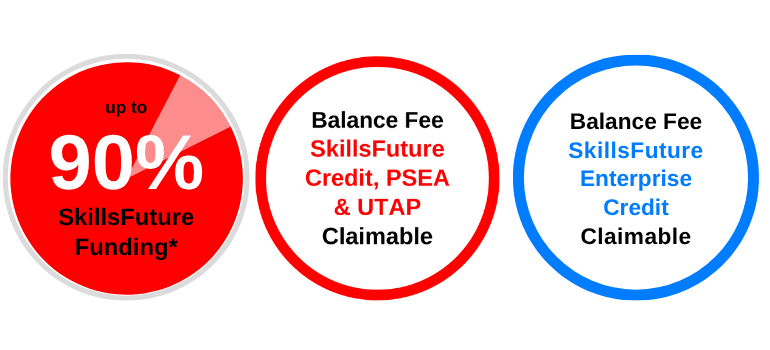
From S$228.60 (inclusive of 9% GST) after 90% SWDA Subsidies
| Learners | |
| Singaporean Citizens ≥ 40 years old | S$228.60 (after SWDA 90% Funding) SkillsFuture Credits can be used on top of existing subsidies |
| Singaporean Citizens, PRs or LTVP+ Holders ≥ 21 years old | S$588.60 (after SWDA 70% Funding) For Singapore Citizens learners aged ≥ 25 years old SkillsFuture Credits can be used on top of existing subsidies. For Singapore Citizens aged 21-31 Post Secondary Education Account Funds can be used. |
| Learners | SMEs | Non-SMEs |
| Singaporean Citizens ≥ 40 years old | S$228.60 (after SWDA 90% Funding) SkillsFuture Enterprise Credits (SFEC) can be used on top of existing subsidies |
S$228.60 (after SWDA 90% Funding) SkillsFuture Enterprise Credits (SFEC) can be used on top of existing subsidies |
| Singaporean Citizens, PRs or LTVP+ Holders ≥ 21 years old | S$588.60 (after SWDA 70% Funding) SkillsFuture Enterprise Credits (SFEC) can be used on top of existing subsidies |
Singaporean Citizens ≥ 40 years old
After SWDA 90% Funding
SkillsFuture Credits can be used on top of existing subsidies
After SWDA 90% Funding
SkillsFuture Enterprise Credits (SFEC) can be used on top of existing subsidies
Singaporean Citizens, PRs or LTVP+ Holders ≥ 21 years old
After SWDA 70% Funding
For Singapore Citizens learners aged ≥ 25 years old SkillsFuture Credits can be used on top of existing subsidies.
For Singapore Citizens aged 21-31 Post Secondary Education Account Funds can be used.
After SWDA 90% Funding
SkillsFuture Enterprise Credits (SFEC) can be used on top of existing subsidies
After SWDA 70% Funding
SkillsFuture Enterprise Credits (SFEC) can be used on top of existing subsidies
All prices are inclusive of 9% GST.
(48 hrs) Systems and Server Administration
Up to 90% SkillsFuture Subsidy. Enrol today.
Course Schedule
Course Name: (48 hrs) Systems and Server Administration
Course Code: TGS-2026064619
Course Duration: 6 Days (9:00am – 6:00pm)
| Course Name | Duration | Month | Date | Venue | Remarks |
|---|---|---|---|---|---|
| (48 hrs) Systems and Server Administration TGS-2026064619 | 6 days (9:00am - 6:00pm) | October 2026 | 29,30 Oct, 02,03,04,05 Nov | International Plaza | Weekdays |
| November 2026 | 27,30 Nov, 01,02,03,04 Dec | International Plaza | Weekdays | ||
| December 2026 | 31 Dec, 04,05,06,07,08 Jan | International Plaza | Weekdays | ||
| January 2027 | 29 Jan, 01,02,03,04,05 Feb | International Plaza | Weekdays | ||
| February 2027 | 26 Feb, 01,02,03,04,05 | International Plaza | Weekdays |
Related Courses

Have some questions? Contact us.
Up to 90%
SkillsFuture Subsidy