
In a digital world that never stops scrolling, a business has exactly 1.7 seconds to make the first impression.
If visuals look like a generic template, the brand feels like a generic choice. When everyone uses the same drag-and-drop platforms, every business starts to look the same.
Whether you’re an in-house designer, a freelancer, or a business owner who handles the creative side, you know that strong branding isn’t just about visual consistency; it’s about control.
Control over colour, typography, layout, and the finer details like lighting and contrast that bring images to life.
Unlike credit-based platforms that charge you for every edit or asset generation, Photoshop lets you make unlimited adjustments without watching a balance tick down.
Need to fine-tune the lighting on a product shot? Adjust contrast across a batch of social graphics? You can do it all, as many times as you need, with no per-task fees.
That’s the difference between a tool that limits you and one that empowers you.
This article explores why visual consistency is the backbone of brand recall and how Adobe Photoshop for branding provides a level of creative control that standard templates simply cannot match.
This article covers the essential assets you can build in-house, the AI features that speed up workflow, and the competitive edge of creating your own brand kit.
Let’s dive in.
Why Recognisable Branding Is Critical for Small Businesses
Visual consistency is the secret sauce of customer loyalty. When social media, websites, and packaging all “speak” the same visual language, it builds a layer of trust that directly influences buying decisions.
Even small, sharp visual improvements, like a perfectly crisp logo or a consistent colour grade on product photos, elevate brand credibility instantly.
Example: Apple & Coca-Cola
Think of Apple’s minimalist aesthetic or Coca-Cola’s specific shade of red. These brands didn’t become icons by accident; they used rigorous visual consistency to ensure they were instantly identifiable across any medium.
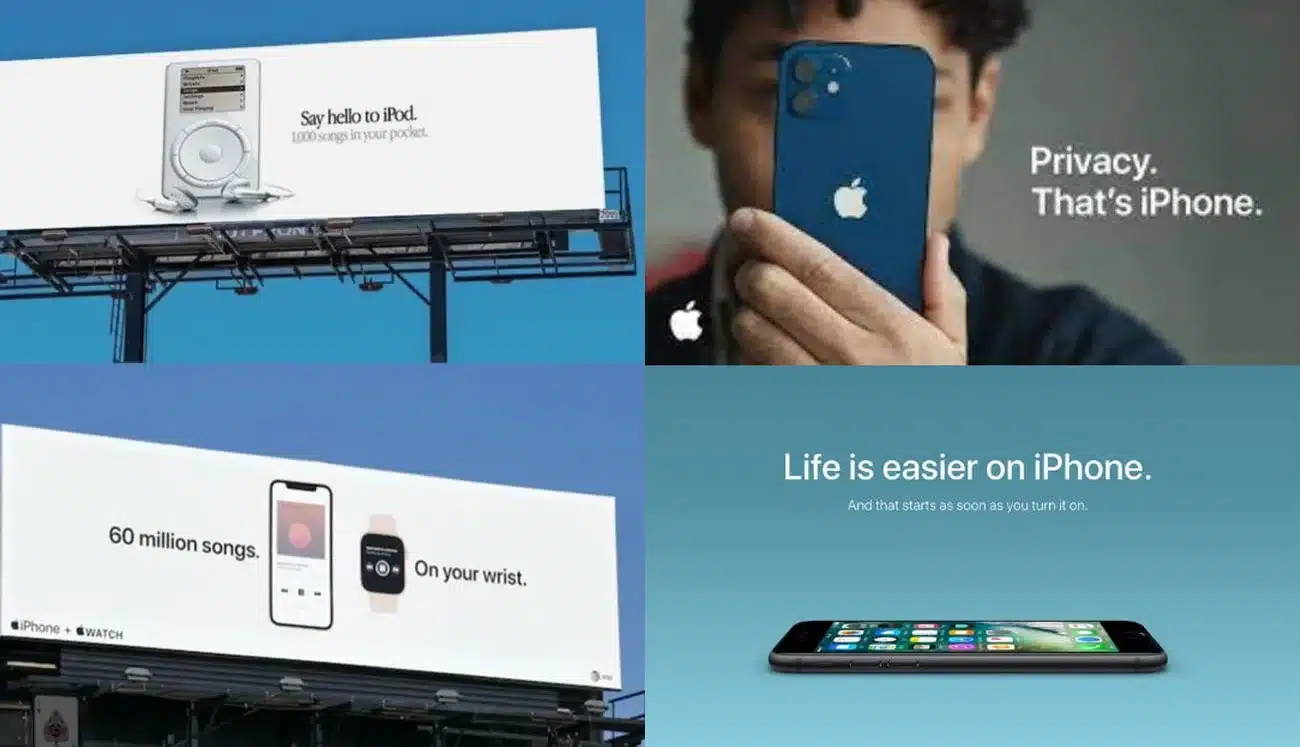
Apple Visual Brand Consistency (Source: Visual Best)
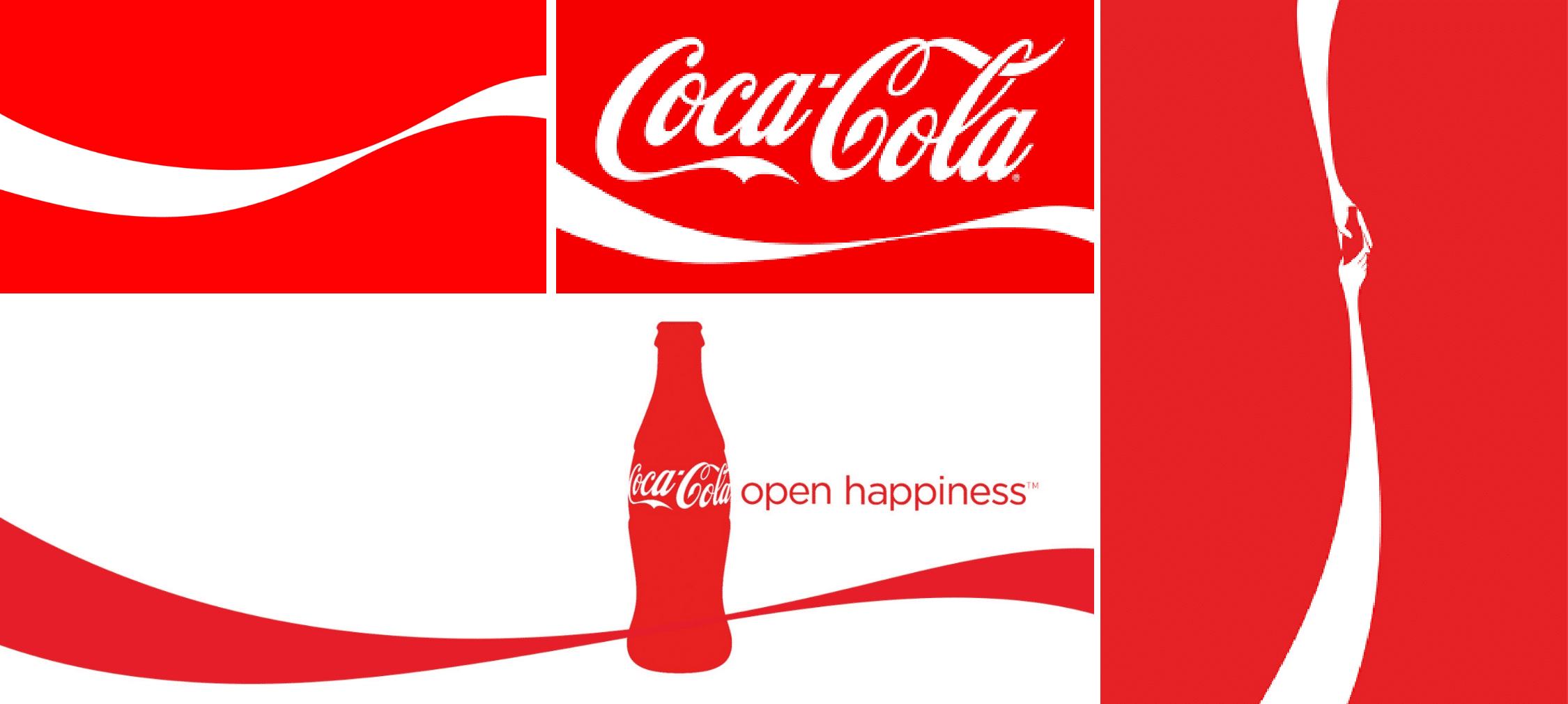
Coca-Cola Visual Brand Consistency (Source: Punch)
Understanding why branding matters is only the first step; the next is choosing the right technical partner to bring that vision to life.
How Photoshop Supports Strong Brand Identity
While many tools offer quick fixes, Adobe Photoshop provides the precise control needed for a truly unique identity.
- Total Creative Control: Manipulate colours, typography, and layouts down to the last pixel to ensure they align with a specific vision.
- Custom Brand Assets: Build unique assets and templates from scratch rather than using the same designs as competitors.
- Consistent Guidelines: Maintain brand guidelines easily across different platforms, ensuring the brand looks the same whether it’s on a smartphone screen or a physical banner.
Example: Charles & Keith
The global success of Charles & Keith is rooted in a high-fashion aesthetic that feels aspirational yet accessible.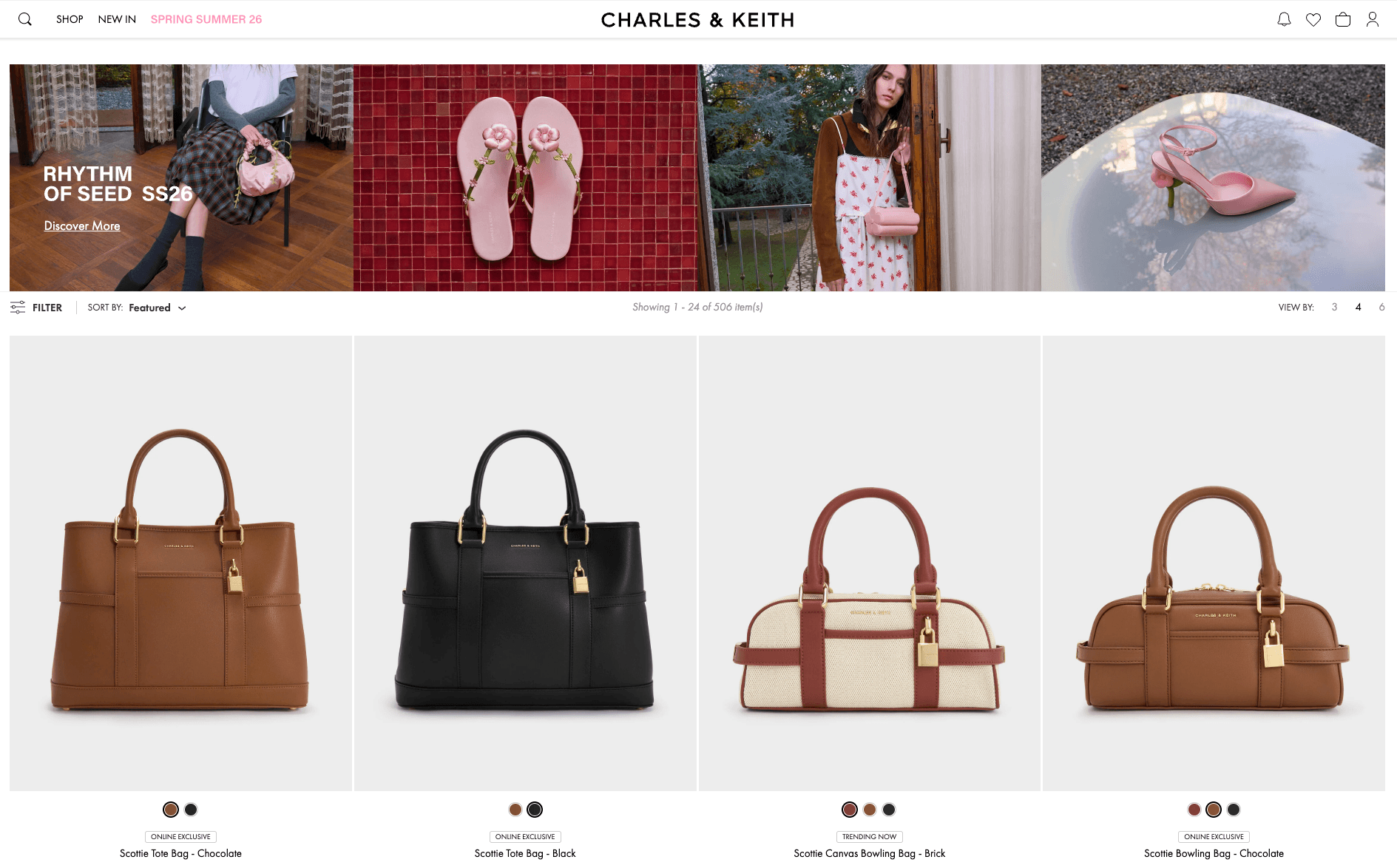
Charles & Keith Spring Summer 2026 Collection (Source: Charles & Keith)
They transitioned from a local boutique to an international powerhouse by maintaining a "polished execution" through:
- Precision Colour Grading: Using professional tools to ensure a handbag’s hue matches a specific seasonal palette across every digital lookbook.
- Editorial Layouts: Mastering layers and masks to blend photography with clean, minimalist typography that looks like a high-end magazine spread.
- Visual Consistency at Scale: Ensuring assets remain identical in quality and tone across all regions, building the "luxury" trust factor that drives sales.
Once the foundation of an identity is set, it can be applied to every touchpoint where customers interact with the business.
Essential Branding Assets You Can Create
When you learn Photoshop for business, you unlock the ability to produce a full suite of professional materials in-house:
- Logo Mock-Ups & Brand Visualisations: Create logos in Illustrator (for scalable vectors), then use Photoshop to place them onto realistic mockups like business cards, packaging, or signage. See how the brand looks in the real world before anything goes live.
- Social Media Graphics: Create high-impact posts that stop the scroll.
- E-commerce Visuals: Adjust product photos to match specific brand colour tones, creating a cohesive look for online listings.
- Marketing Collateral: Generate website banners, digital ads, and promotional posters that look polished and intentional.
Example: Grab
Grab is an excellent example of how diverse branding assets work together to create a unified presence.
While they are a tech giant, the logic they use for their visual branding tools applies to any growing business. Their ecosystem relies on:
1. Iconography & Interface Elements
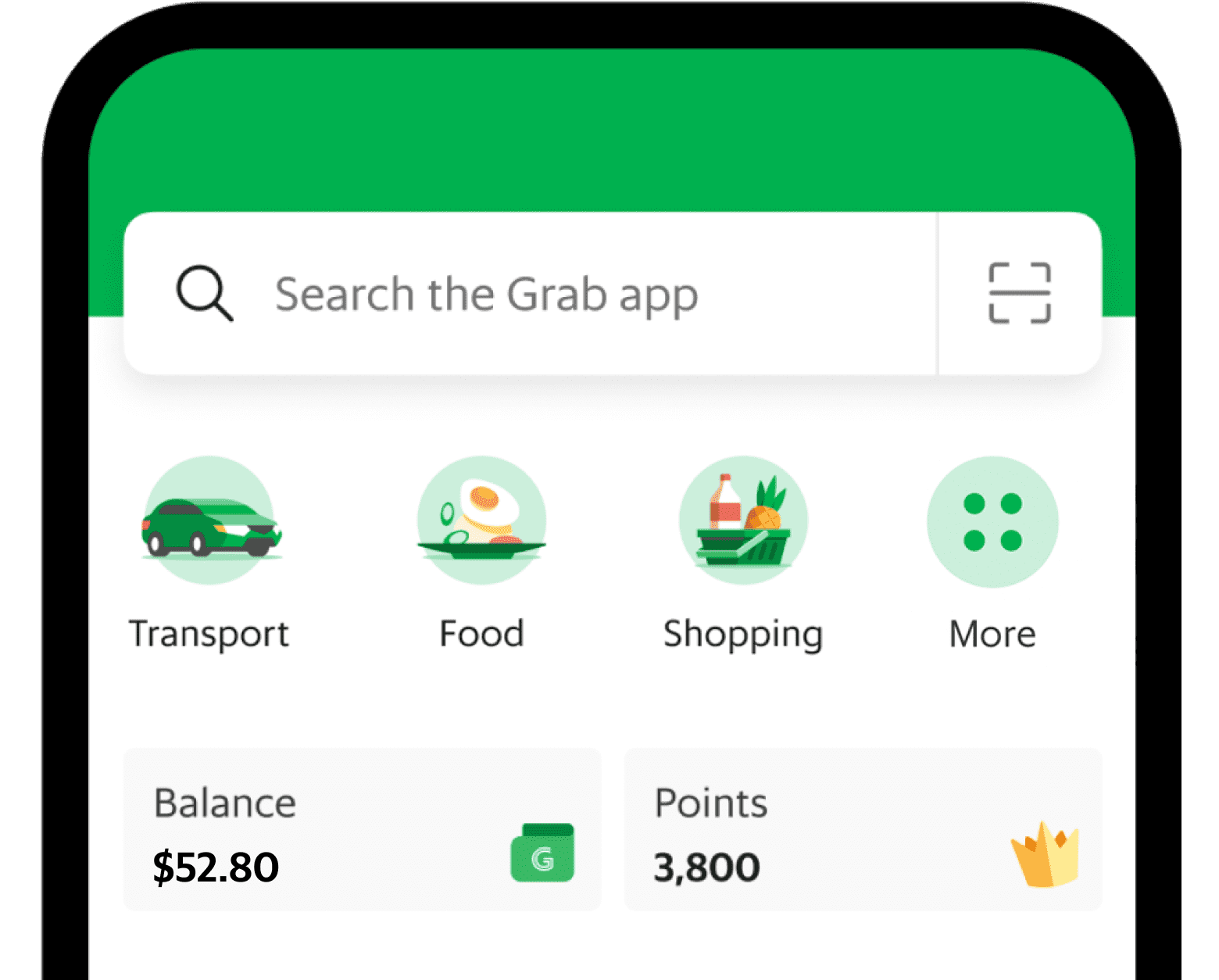
Grab’s Iconography and Interface (Source: Grab)
Every icon within the app is designed with the same line weight and curve, ensuring the user experience feels seamless.
2. Social Media Identity
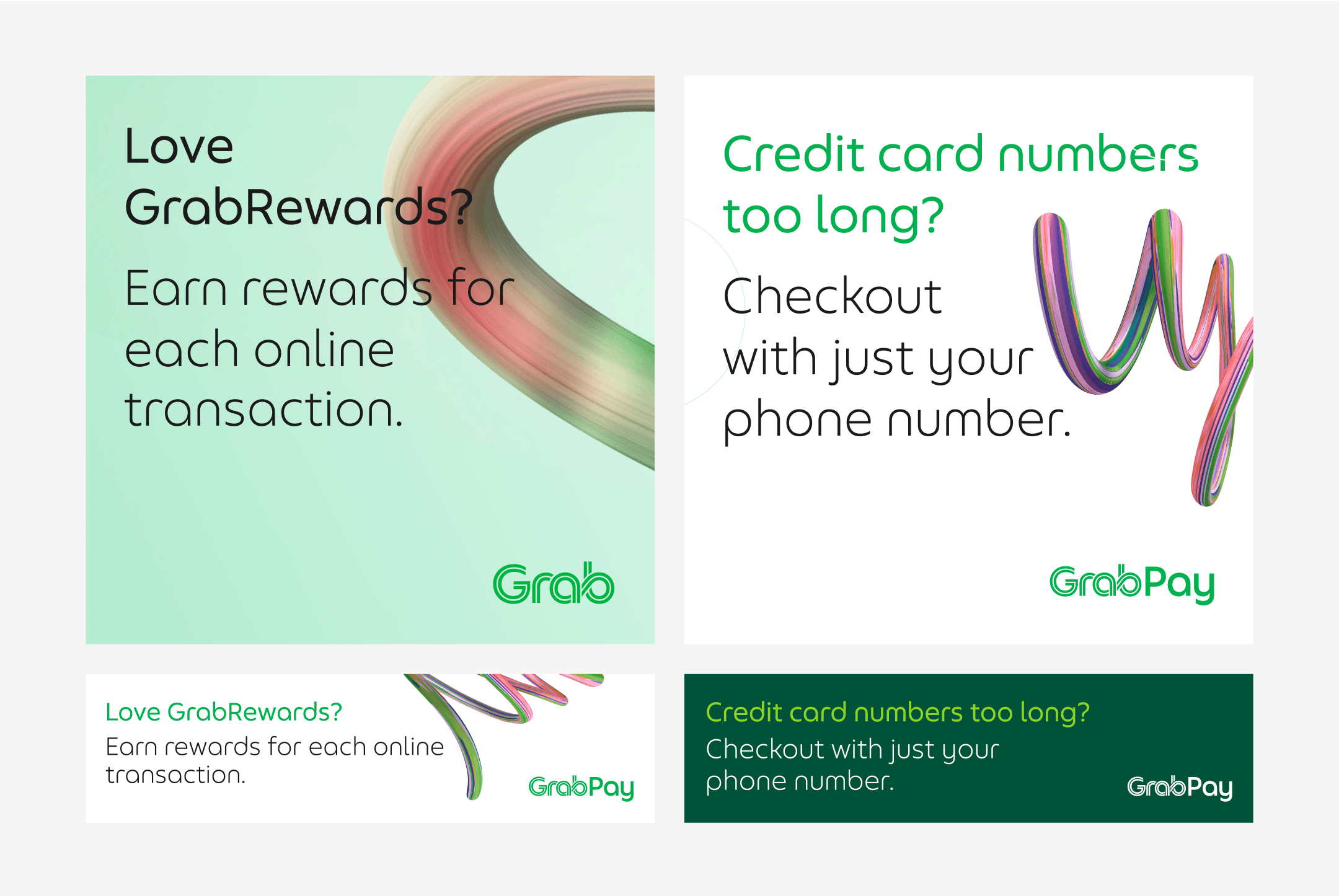
GrabPay Visuals (Source: Grab)
Grab uses specific, green-tinted overlays and consistent "sticker" elements in their promotional graphics.
In Photoshop, these are easily managed via "Adjustment Layers" and "Smart Objects," allowing them to drop new photos into a pre-set brand style instantly.
3. Fleet & Uniform Branding
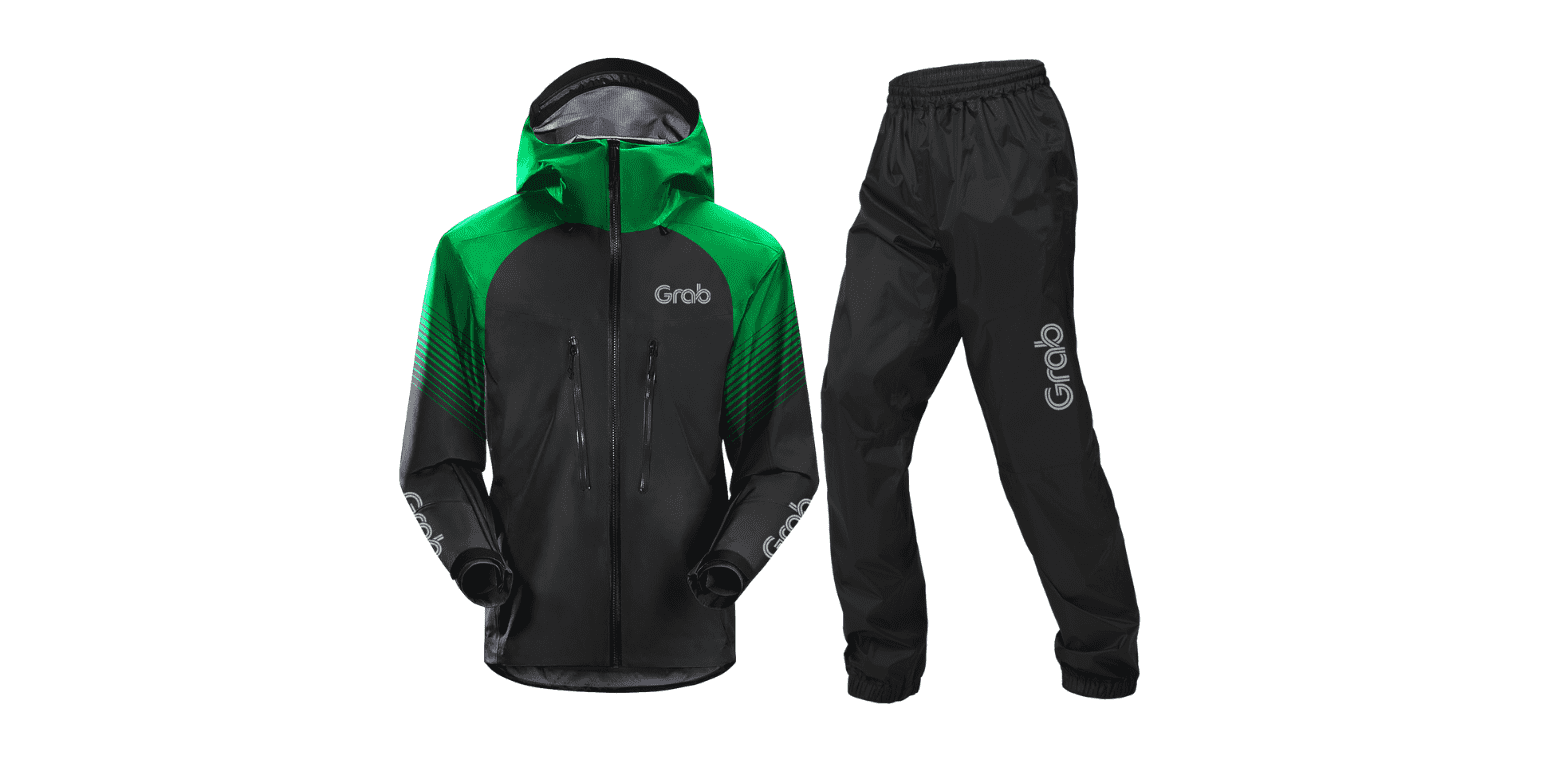
Grab Apparel (Source: Grab)
The same visual logic used for a digital banner is translated to physical assets like delivery bags and jackets, ensuring that whether a customer sees them on a screen or on the street, the recognition is immediate.
While there are simpler tools available for these tasks, there is a distinct difference between "making a post" and "building a brand."
Photoshop vs Template-Based Design Tools
Drag-and-drop platforms are great for beginners, but they often lead to "cookie-cutter" designs.
Choosing business branding design through Photoshop offers a level of flexibility that template-based tools simply can't match.
- Scalability: As a business grows, the branding needs to scale with it, and Photoshop provides that room for growth.
- Differentiation: Custom designs built in Photoshop offer stronger differentiation, helping to carve out a unique space in the industry.
Of course, the learning curve of a professional tool can be daunting, but modern technology has made the process faster than ever before.
Using Photoshop’s AI Tools to Speed Up Branding
Modern branding doesn't have to be a slow, manual process. Photoshop’s integrated AI tools significantly improve workflow efficiency.
However, the best results come when these features are combined with a solid understanding of design fundamentals.
Think of AI as an enhancement that handles the heavy lifting, allowing creativity to focus on the overall strategy.
Beyond the creative freedom, bringing these skills in-house provides a tangible boost to the bottom line.
The Cost and Competitive Advantage of In-House Skills
Mastering these tools isn't just about aesthetics; it's a strategic move.
- Reduced Costs: Significantly cut down on outsourcing fees for every minor update or new social post.
- Agile Marketing: Instead of waiting days for a freelancer, make quick design adjustments for a flash sale or a trending topic.
- Long-term Independence: Gain total control over the brand’s evolution without being "locked in" to a specific designer’s style.
So, how do you bridge the gap between being a beginner and a branding pro?
How to Start Building Your Branding Capability
The best way to start is to dive into real projects using a practice-first methodology.
- Start Small: Don't just study theory; try building a mini brand kit that includes a logo, a set colour palette, and a basic social media template.
- Focus on Practice: Navigating the Photoshop workspace and handling assets through hands-on exercises helps in understanding how tools interact to create professional outcomes.
- Combine Knowledge: Mix new technical skills with fundamental design principles, like contrast and balance, to ensure every graphic created serves a strategic business goal.
Example:
Many successful local Shopee or Lazada sellers act as their own creative directors. By using Photoshop to clean up product shots and create branded promotional banners, they often successfully compete with much larger retail brands.
Wrapping Up
Recognisable brands aren't built overnight, but they are built through consistent, high-quality visuals.
By developing in-house design capabilities, you gain the control, flexibility, and long-term power needed to thrive.
Investing in these skills doesn't just save you money on outsourcing; it gives you the creative independence to evolve, adapt, and scale your business with confidence.
It is time to stop letting your visual identity be an afterthought and start building a brand that truly reflects the value of your work.
Ready to Own Your Brand’s Visual Story?
Master the essentials of professional design and the latest AI-driven workflows with @ASK Training’s WSQ Design Fundamentals with Adobe Photoshop for Business and Branding.
Gain hands-on experience in creating high-impact assets that set your business apart. Don't let your brand get lost in a sea of "cookie-cutter" templates.
Explore our course and enrol with us today!
Related Courses
- Digital Content Creation Course
- WSQ Design Fundamentals with Adobe Photoshop for Business and Branding
◆◆◆