
WSQ Microsoft Excel Intermediate Course
Boost your data analysis and reporting skills in this Excel intermediate course covering formulas, charts, tables, and workbook management—perfect for professionals ready to go beyond the basics.
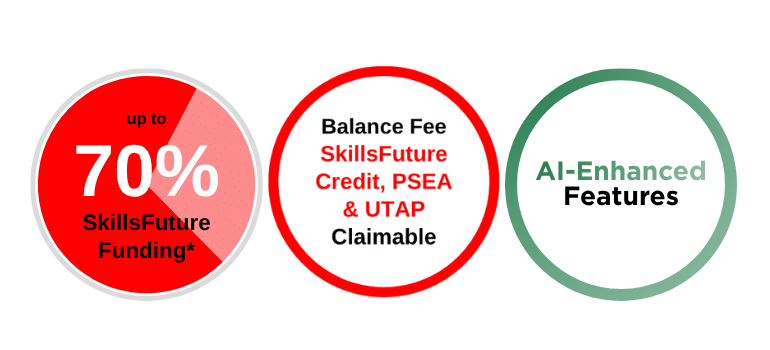
Nett Course Fee
$175.50 after 70% SkillsFuture Subsidy
Course Description
This WSQ-certified intermediate Excel course builds on foundational skills to develop advanced spreadsheet capabilities for data analysis, formatting, and presentation. Aligned to the Skills Framework under the Technology Road Map (Data and Statistical Analytics), it covers advanced formulas, lookup functions, workbook protection, table formatting, and chart manipulation, with AI enablement throughout. Participants will learn to manage datasets with table, summarise and visualise data, while using AI to generate formula suggestions from natural language prompts and to diagnose and explain formula errors.
Participants will manage complex data using logical and statistical functions, protect workbooks and worksheets, filter and sort large data sets, and visualise trends through dynamic charts. They will remove duplicates to clean datasets quickly and summarise a table with a PivotTable for accurate reporting. With AI, they will receive protection recommendations for data entry versus reporting use cases, identify data quality issues such as inconsistent text, duplicates and blanks, obtain step-by-step Advanced Filter guidance in natural language, and summarise tables to surface trends, outliers and totals. The course also covers advanced filtering and data validation.
Designed for learners with basic Excel skills, this course equips participants to streamline workflows, create professional reports, and support process improvement decisions. Using AI, they will also ask for the most suitable chart type for their data and business question, generate charts from natural language, and produce AI-assisted insights.
Prerequisites
To enrol in this course, you should possess the following:
- WPLN Level 4
- Minimum of GCE ‘O’ or equivalent; OR
- NITEC/Higher NITEC.
- Completed WSQ Microsoft Excel Essentials or equivalent basic Excel skills.
Course Objectives
At the end of the course, you will be able to:
- Use Excel for statistical analysis by organising cell ranges, managing formula errors, applying conditional logic, and employing lookup functions for data search and matching.
- Manage large Excel data sets, including multiple worksheets and workbooks, and application of protection measures for the interpretation of the categorised data.
- Organise data in Excel by sorting, filtering, and separating the contents into multiple sets to effectively interpret the collected data for categorisation of meaningful identified data.
- Use features in Excel to create tables, including managing data sets and removing duplicate records.
- Optimise Excel functionalities for process improvement in business statistics by creating and formatting charts, including displaying data through histograms.
Certification
Upon successful completion of the WSQ Microsoft Excel Intermediate assessment, participants who have attended at least 75% of the course will receive a SkillsFuture WSQ Statement of Attainment (SOA) along with a Certificate of Attendance by @ASK Training.
Course Outline
Formulas & Functions
- Cell and Range Names
- Displaying and Tracing Formulas
- Understanding Formula Errors
- Using Logical Functions
- Using Conditional Count, Sum and Average Functions
- Using Lookup Functions
- Using Database Functions
Managing Workbooks & Protection
Working with Data Ranges
- Creating Custom AutoFill List
- Sorting by Colours or Icons
- Sorting by Custom List
- Filtering Data
- Creating Custom AutoFilter
- Using Advanced Filter
- Using Text to Columns
Working with Tables
- Creating a Table
- Adding and Removing Data
- Working with the Total Row
- Sorting a Table
- Filtering a Table
- Removing Duplicate Rows of Data
- Slicers
- Formatting the Table
- Summarizing a Table with a PivotTable
- Converting to a Range
Working with Charts
- Using Quick Analysis
- Elements of a Chart
- Filtering Chart
- Working with Chart Labels
- Changing the Chart Gridlines
- Changing the Scale.
- Emphasizing Data
- Using Chart Templates
- Using Sparklines
- Creating Histogram
Assesstment
- Written Examination: 20 minutes
- Practical Assessment: 40 minutes
AI Enablement
- Generate formula suggestions from natural-language prompts.
- Diagnose formula errors with AI explanations and recommended fixes.
- Review workbook protection settings for data-entry, reporting, and collaboration scenarios.
- Identify data-quality issues such as duplicates, blanks, and inconsistent text.
- Receive step-by-step guidance for advanced filtering and data preparation.
- Summarise Excel tables to reveal trends, totals, and outliers.
- Select the most suitable chart for each dataset and business question.
- Create charts with natural language and ask AI to explain the story behind the data.
Fees and Subsidies
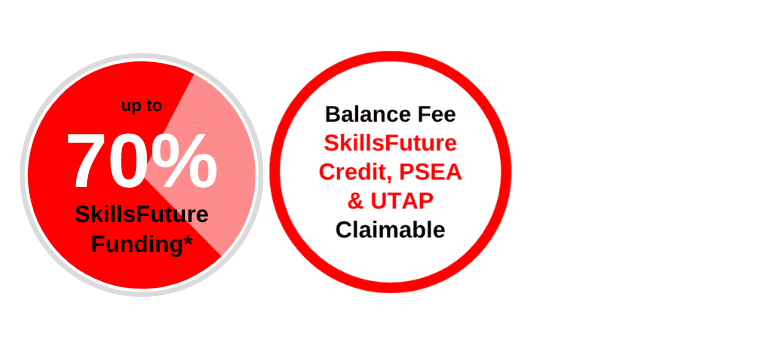
*Eligible for Singaporean Citizens, Permanent Residents, and Long-Term Visit Pass Plus Holders
Course Fee:
S$490.5 (inclusive of 9% GST)
Course Fee After Eligible SWDA Subsidies:
From S$175.50 (inclusive of 9% GST) after 70% SWDA Subsidies
Singaporean Citizens ≥ 40 years old
After SWDA 70% Funding
SkillsFuture Credits can be used on top of existing subsidies
After SWDA 70% Funding
SkillsFuture Enterprise Credits (SFEC) can be used on top of existing subsidies
After SWDA 70% Funding
SkillsFuture Enterprise Credits (SFEC) can be used on top of existing subsidies
Singaporean Citizens, PRs or LTVP+ Holders ≥ 21 years old
After SWDA 50% Funding
For Singapore Citizens learners aged ≥ 25 years old SkillsFuture Credits can be used on top of existing subsidies.
For Singapore Citizens aged 17-30 Post Secondary Education Account Funds can be used.
After SWDA 70% Funding
SkillsFuture Enterprise Credits (SFEC) can be used on top of existing subsidies
After SWDA 50% Funding
SkillsFuture Enterprise Credits (SFEC) can be used on top of existing subsidies
| Learners | |
| Singaporean Citizens ≥ 40 years old | S$175.50 (after SWDA 70% Funding) SkillsFuture Credits can be used on top of existing subsidies |
| Singaporean Citizens, PRs or LTVP+ Holders ≥ 21 years old | S$265.50 (after SWDA 50% Funding) For Singapore Citizens learners aged ≥ 25 years old SkillsFuture Credits can be used on top of existing subsidies. For Singapore Citizens aged 17-30 Post Secondary Education Account Funds can be used. |
| Learners | SMEs | Non-SMEs |
| Singaporean Citizens ≥ 40 years old | S$175.50 (after SWDA 70% Funding) SkillsFuture Enterprise Credits (SFEC) can be used on top of existing subsidies |
S$175.50 (after SWDA 70% Funding) SkillsFuture Enterprise Credits (SFEC) can be used on top of existing subsidies |
| Singaporean Citizens, PRs or LTVP+ Holders ≥ 21 years old | S$265.50 (after SWDA 50% Funding) SkillsFuture Enterprise Credits (SFEC) can be used on top of existing subsidies |
WSQ Microsoft Excel Intermediate
Course Code: TGS-2024042612
Course Schedule
Course Name: WSQ Microsoft Excel Intermediate
Course Code: TGS-2024042612
Course Duration: 2 Days (9:00am - 6:00pm)
| Course Name | Duration | Month | Date | Venue | Remarks |
|---|---|---|---|---|---|
| WSQ Microsoft Excel Intermediate TGS-2024042612 | 2 days (9:00am - 6:00pm) | November 2026 | 02,03 | International Plaza | Weekdays |
| 10,11 | International Plaza | Weekdays | |||
| 12,13 | JTC Summit | Weekdays | |||
| 21,22 | International Plaza | Weekends | |||
| 23,24 | International Plaza | Weekdays | |||
| 26,27 | JTC Summit | Weekdays | |||
| 28,29 | International Plaza | Weekends | |||
| December 2026 | 07,08 | International Plaza | Weekdays | ||
| 12,13 | International Plaza | Weekends | |||
| 17,18 | JTC Summit | Weekdays | |||
| 23,24 | International Plaza | Weekdays | |||
| 26,27 | International Plaza | Weekends | |||
| January 2027 | 07,08 | International Plaza | Weekdays | ||
| 09,10 | International Plaza | Weekends | |||
| 14,15 | JTC Summit | Weekdays | |||
| 25,26 | International Plaza | Weekdays | |||
| February 2027 | 11,12 | International Plaza | Weekdays | ||
| 20,21 | International Plaza | Weekends | |||
| 22,23 | International Plaza | Weekdays | |||
| March 2027 | 08,09 | International Plaza | Weekdays | ||
| 13,14 | International Plaza | Weekends | |||
| 24,25 | International Plaza | Weekdays |
Related Courses
FAQs
Have a few questions on your mind? See below for some frequently asked questions. Should you have further questions, please feel free to contact us.
What is the difference between beginner and intermediate Excel?
Beginner = entering data, formatting cells, SUM/AVERAGE, simple charts, printing. Intermediate adds VLOOKUP/XLOOKUP, IF/IFS, tables, data validation, conditional formatting, workbook protection and multi-sheet links—skills that let you audit, clean and summarise larger datasets.
What are intermediate level Excel skills?
Key markers:
- Mastery of VLOOKUP/XLOOKUP, IFERROR
- Structured tables & slicers
- Named ranges for clean formulas
- Dynamic charts & sparklines
- Custom lists
- Sheet/workbook protection with passwords.
How quickly can I become proficient in Excel?
With real work exposure plus 3–5 hrs study per week, most reach confident proficiency (intermediate level) in 8–12 weeks. The accelerator is applying each new concept to live tasks—rote drills alone rarely stick.